
Estúdio de vídeo TradeGo
Estúdio de vídeo TradeGo
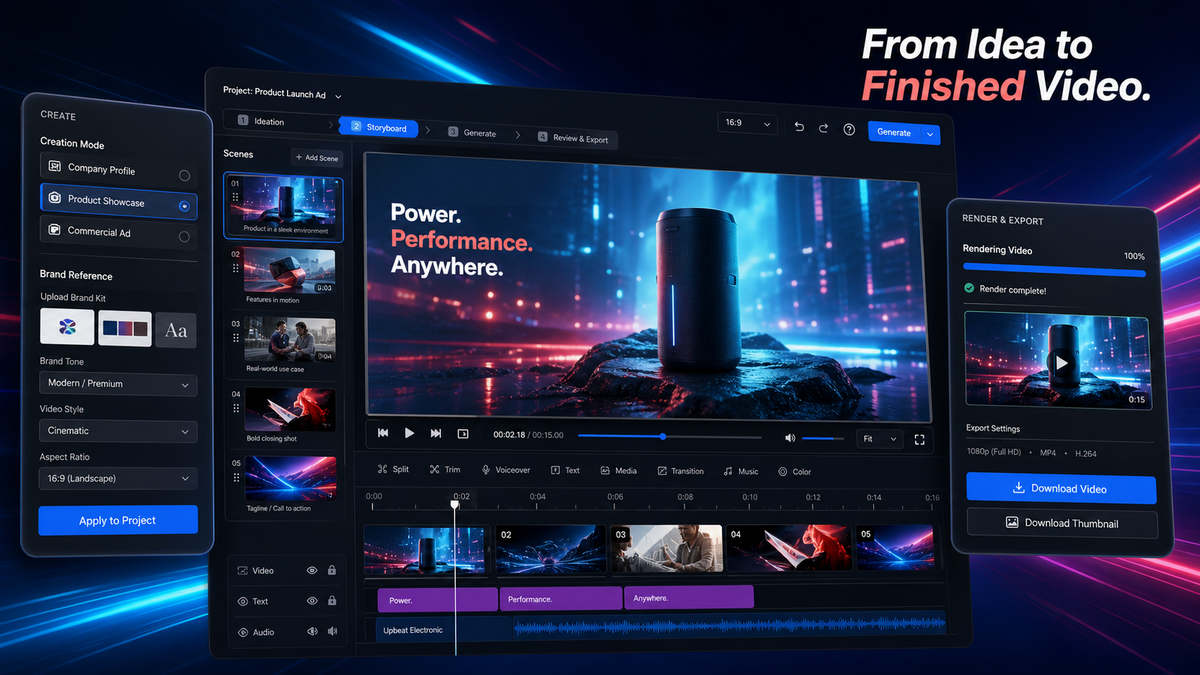
Transforme um objetivo empresarial real e os ativos da marca num projeto de vídeo comercial planeado, produzido, revisto e pronto para entrega.
Porquê o TradeGo Video Studio
Mantenha todo o projeto de vídeo comercial num só lugar
O trabalho de vídeo comercial divide-se frequentemente entre briefings, guiões, storyboards, ficheiros de referência, clips gerados, ferramentas de edição e revisores. Isso torna mais difícil manter o vídeo final alinhado com o objetivo empresarial original.
O problema empresarial
Os projetos de vídeo perdem orientação entre etapas
As equipas reescrevem briefings, partilham ficheiros de referência incompletos, geram clips desconexos e têm dificuldade em perceber como cada plano contribui para o vídeo comercial final.
A mudança
Leve o objetivo empresarial para cada plano
O TradeGo Video Studio mantém o briefing, o guião, o storyboard, a produção dos planos, a linha do tempo, a revisão e a entrega dentro de um único projeto.
O que o TradeGo Video Studio ajuda a fazer
Passe de um objetivo empresarial para um vídeo finalizado
Comece pelo produto, público, canal, argumento de venda e orientação da marca. Construa o projeto passo a passo até o vídeo comercial final estar pronto para revisão e entrega.
Planear
Defina o vídeo comercial
Escolha o tipo de projeto, o objetivo empresarial, o público, o canal, o tom da marca, o formato e o material de origem real.
Produzir
Crie storyboards e planos
Transforme o briefing aprovado num guião, storyboard visual, prompts para planos, imagens baseadas em referências e clips selecionados.
Entregar
Monte e reveja o vídeo final
Organize os planos selecionados na linha do tempo, adicione as camadas visuais e de áudio necessárias, renderize o projeto, reveja-o e prepare as versões para entrega.
Exemplo de fluxo de trabalho
De um briefing de produto para um vídeo comercial finalizado
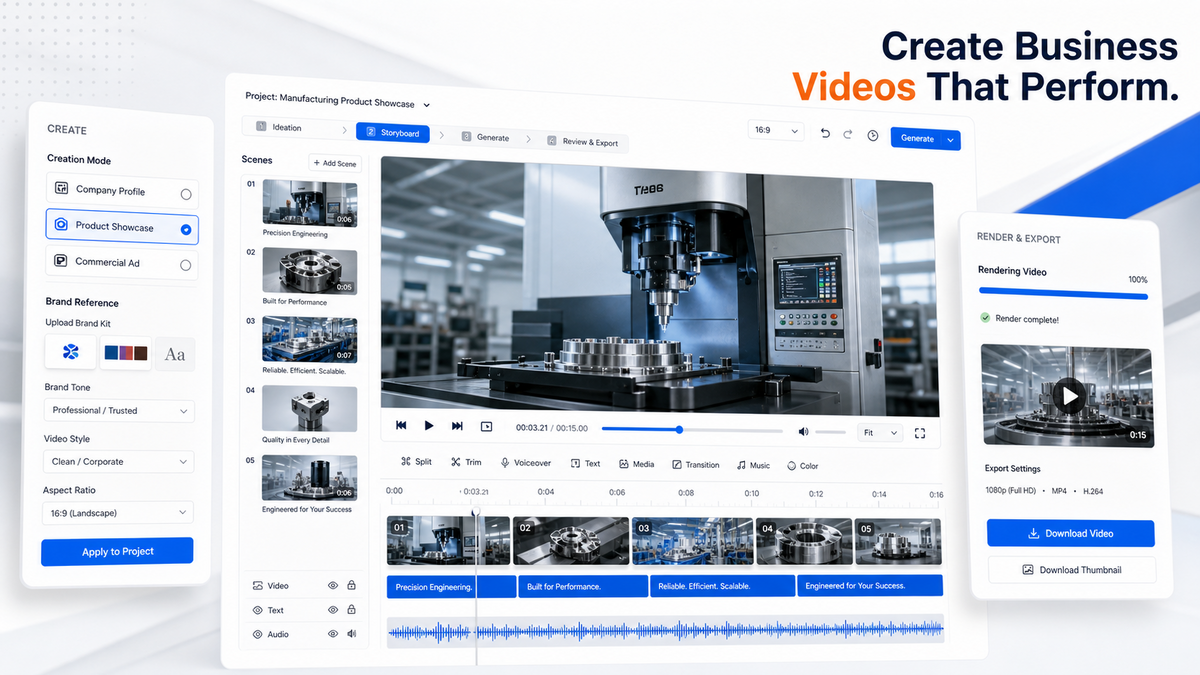
Este exemplo mostra como uma equipa pode transformar o objetivo de lançamento de um produto industrial numa sequência planeada, planos produzidos e um vídeo final pronto para revisão.
01 · O seu briefing
Lance um produto industrial num vídeo de 30 segundos
Adicione o produto, os compradores-alvo, o principal argumento de venda, o tom da marca, os canais do website e de feiras comerciais, imagens reais do produto e o formato preferido.
02 · Trabalho no estúdio
Crie o guião, o storyboard e os planos do produto
Planeie a sequência comercial, aperfeiçoe cada plano, gere imagens a partir de referências aprovadas e selecione os clips utilizáveis mais fortes.
03 · O seu vídeo
Reveja a linha do tempo e entregue a versão final
Monte os planos selecionados, reveja a sequência completa, renderize o projeto e prepare a versão de entrega necessária.
Prepare os elementos visuais de origem com Estúdio de imagem principal de produtos B2B, desenvolva a narrativa com Compilador de roteiros de vídeo empresariais, ou compare os planos e créditos.
Espaço de trabalho para produção de vídeos comerciais
Planeie o vídeo antes de gerar imagens
Defina o que o vídeo deve alcançar, para quem se destina, onde será utilizado e quais os materiais reais do produto ou da empresa que o projeto deve seguir.
- Crie anúncios de produtos, filmes de marca, perfis de empresas, apresentações de produtos, estudos de caso e vídeos comerciais para redes sociais.
- Utilize referências aprovadas de produtos, empresas, imagens, vídeos, áudio, logótipos e marcas ao longo do projeto.
- Passe do briefing e do storyboard para a produção dos planos, montagem da linha do tempo, revisão, renderização e entrega.
Como funciona o TradeGo Video Studio
Um percurso claro do briefing à entrega final
Cada etapa baseia-se nas informações aprovadas do projeto, facilitando o alinhamento do guião, dos elementos visuais, das imagens e da edição final.
Etapa 1
Defina o briefing do vídeo
Defina o tipo de projeto, o público, o canal, o argumento de venda, o tom da marca, a duração e o formato.
Etapa 2
Crie o guião e o storyboard
Planeie a mensagem, a sequência, a função visual e o prompt de cada plano comercial.
Etapa 3
Produza e selecione os planos
Gere imagens a partir de referências aprovadas e escolha os clips que melhor correspondem ao storyboard.
Etapa 4
Monte, reveja e entregue
Organize a linha do tempo, renderize o vídeo final, reveja o resultado e prepare as versões para entrega.
O projeto completo
Mantenha todas as decisões de produção num único projeto
A sua equipa pode rever o briefing, as revisões do guião, o storyboard, os ativos de origem, os planos selecionados, a linha do tempo, a renderização final e os registos de entrega sem reconstruir o projeto noutro espaço de trabalho.
Antes de começar
Para quem se destina o TradeGo Video Studio e o que a sua equipa deve rever
Utilize o estúdio para organizar a produção de vídeos comerciais, mantendo a aprovação da marca, do produto, dos aspetos legais e da publicação com a sua equipa.
Para quem se destina
Criado para equipas de marketing e vendas B2B
O TradeGo Video Studio foi concebido para exportadores, fabricantes, marcas B2B internacionais, agências e equipas de vendas ou marketing que produzem vídeos comerciais de produtos, empresas, eventos, websites e redes sociais.
Limite importante
Reveja todas as alegações e todos os ativos finais
Utilize materiais autênticos do produto e da empresa. Reveja a aparência do produto, as alegações, os logótipos, as legendas, as vozes, a música, as licenças, os requisitos das plataformas e as edições finais antes de publicar.
Perguntas frequentes
Perguntas antes de começar a utilizar o TradeGo Video Studio
Respostas diretas sobre projetos de vídeo suportados, materiais de origem, storyboards, geração, montagem final e revisão.
Pronto para começar
Traga um projeto de vídeo comercial real para o estúdio
Comece pelo lançamento de um produto, pela história da empresa, por um caso de cliente, pelas capacidades da fábrica, pelo processo de serviço ou pela campanha comercial que a sua equipa precisa de produzir.
Começar no estúdio
Comece com um briefing de vídeo real
Abra o TradeGo Video Studio e defina o objetivo empresarial, o tema, o público, o canal, a mensagem principal, o tom da marca e o material de origem real.
Quer comparar as opções de acesso primeiro?