
TradeGo Video Studio
TradeGo Video Studio
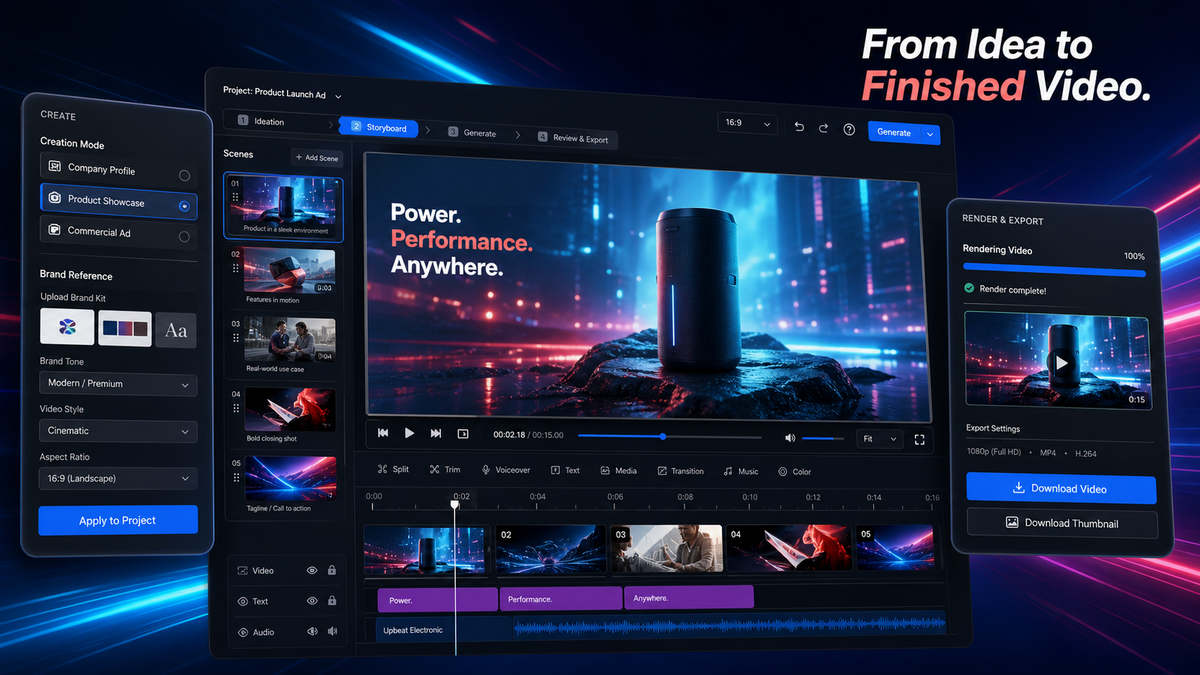
Turn a real business goal and brand assets into a planned, produced, reviewed, and deliverable commercial video project.
Why TradeGo Video Studio
Keep the Entire Commercial Video Project Together
Commercial video work often breaks apart across briefs, scripts, storyboards, reference files, generated clips, editing tools, and reviewers. That makes it harder to keep the final video aligned with the original business goal.
The business problem
Video Projects Lose Direction Between Stages
Teams rewrite briefs, pass incomplete reference files between people, generate disconnected clips, and struggle to see how each shot supports the finished commercial video.
The change
Carry the Business Goal Into Every Shot
TradeGo Video Studio keeps the brief, script, storyboard, shot production, timeline, review, and delivery work inside one project.
What TradeGo Video Studio helps you do
Move From a Business Goal to a Finished Video
Start with the product, audience, channel, selling point, and brand direction. Build the project step by step until the final commercial video is ready for review and delivery.
Plan
Define the Commercial Video
Choose the project type, business objective, audience, channel, brand tone, format, and real source material.
Produce
Build Storyboards and Shots
Turn the approved brief into a script, visual storyboard, shot prompts, reference-based footage, and selected clips.
Deliver
Assemble and Review the Final Video
Arrange selected shots on the timeline, add required visual and audio layers, render the project, review it, and prepare delivery versions.
Example workflow
From a Product Brief to a Finished Commercial Video
This example shows how a team can turn an industrial product launch goal into a planned sequence, produced shots, and a reviewable final video.
01 · Your brief
Launch an Industrial Product in a 30-Second Video
Add the product, target buyers, key selling point, brand tone, website and trade-show channels, real product images, and preferred format.
02 · Studio work
Build the Script, Storyboard, and Product Shots
Plan the commercial sequence, refine each shot, generate footage from approved references, and select the strongest usable clips.
03 · Your video
Review the Timeline and Deliver the Final Version
Assemble the selected shots, review the complete sequence, render the project, and prepare the required delivery version.
Prepare source visuals with B2B Product Main Image Studio, develop the narrative with Enterprise Video Script Compiler, or compare the available plans and credits.
Commercial video production workspace
Plan the Video Before You Generate Footage
Define what the video must achieve, who it is for, where it will be used, and which real product or company materials the project should follow.
- Create product ads, brand films, company profiles, product showcases, case studies, and social commercial videos.
- Use approved product, company, image, video, audio, logo, and brand references across the project.
- Move from the brief and storyboard into shot production, timeline assembly, review, rendering, and delivery.
How TradeGo Video Studio works
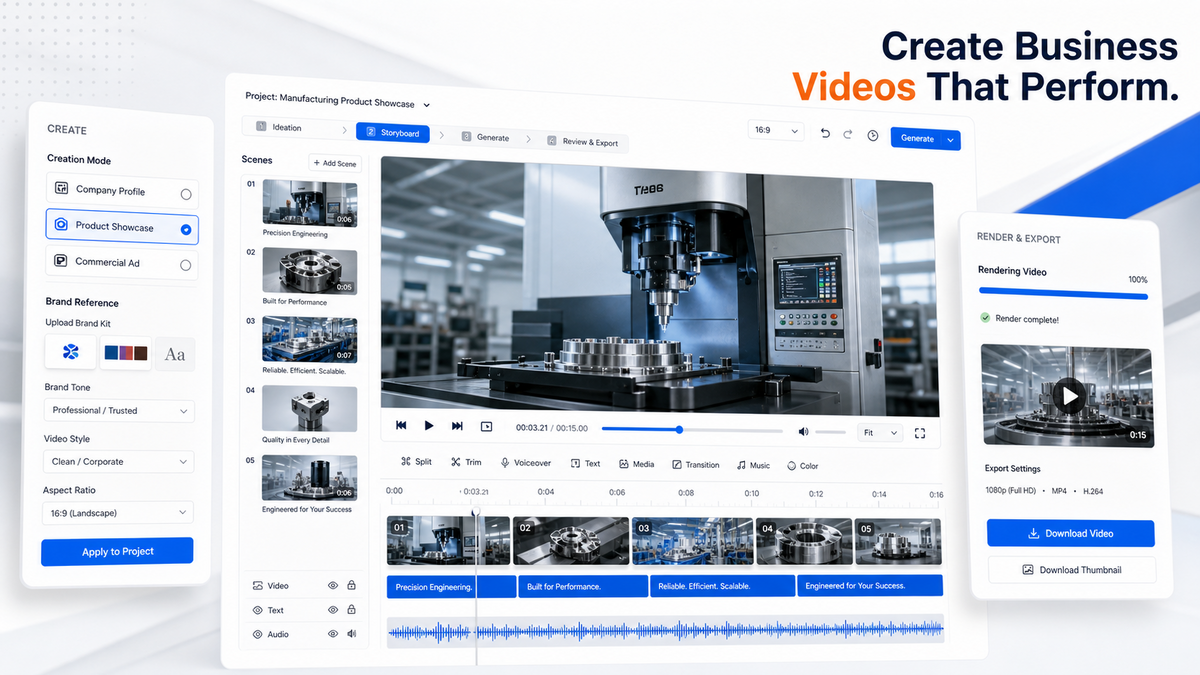
A Clear Path From Brief to Final Delivery
Each stage builds on the approved project information, making it easier to keep the script, visuals, footage, and final edit aligned.
Step 1
Define the Video Brief
Set the project type, audience, channel, selling point, brand tone, length, and format.
Step 2
Build the Script and Storyboard
Plan the message, sequence, visual role, and prompt for each commercial shot.
Step 3
Produce and Select the Shots
Generate footage from approved references and choose the clips that best match the storyboard.
Step 4
Assemble, Review, and Deliver
Arrange the timeline, render the final video, review the output, and prepare delivery versions.
The complete project
Keep Every Production Decision in One Project
Your team can review the brief, script revisions, storyboard, source assets, selected shots, timeline, final render, and delivery records without rebuilding the project in another workspace.
Before you start
Who TradeGo Video Studio Is For and What Your Team Must Review
Use the studio to organize commercial video production while keeping brand, product, legal, and publishing approval with your team.
Who it is for
Built for B2B Marketing and Sales Teams
TradeGo Video Studio is designed for exporters, manufacturers, international B2B brands, agencies, and sales or marketing teams producing product, company, event, website, and social commercial videos.
Important boundary
Review Every Claim and Final Asset
Use authentic product and company material. Review product appearance, claims, logos, subtitles, voices, music, licenses, platform requirements, and final edits before publishing.
Common questions
Questions Before You Start With TradeGo Video Studio
Direct answers about supported video projects, source material, storyboards, generation, final assembly, and review.
Ready to start
Bring One Real Commercial Video Project Into the Studio
Start with the product launch, company story, customer case, factory capability, service process, or commercial campaign your team needs to produce.
Start in the studio
Begin With One Real Video Brief
Open TradeGo Video Studio and define the business objective, subject, audience, channel, key message, brand tone, and real source material.
Want to compare access first?