
Company Knowledge
Company Knowledge
Keep approved company, product, customer, and sales information ready for buyer replies, catalogs, trade documents, marketing content, and specialized agents.
Why Company Knowledge
Give Every Sales Task the Same Approved Information
Company facts, product specifications, buyer requirements, and sales answers often sit in different files and inboxes. Teams waste time searching, rewriting, and checking which version is correct.
The business problem
Scattered Information Creates Slow, Inconsistent Work
Sales teams repeat the same company introduction, copy old specifications, miss approved terms, and send different answers to similar buyer questions.
The change
Keep Approved Business Information Ready to Reuse
Company Knowledge keeps business profiles, product records, customer profiles, and sales guidance organized so supported TradeGo AI tools can use the right information.
What Company Knowledge helps you organize
Build One Reliable Source for Everyday Trade Work
Store the information your team repeats most often, maintain it in one place, and select the records needed for each buyer, product, market, or sales task.
Company
Keep Company Details Ready
Maintain company identity, contacts, capabilities, certifications, commercial terms, shipping choices, and approved business details.
Products
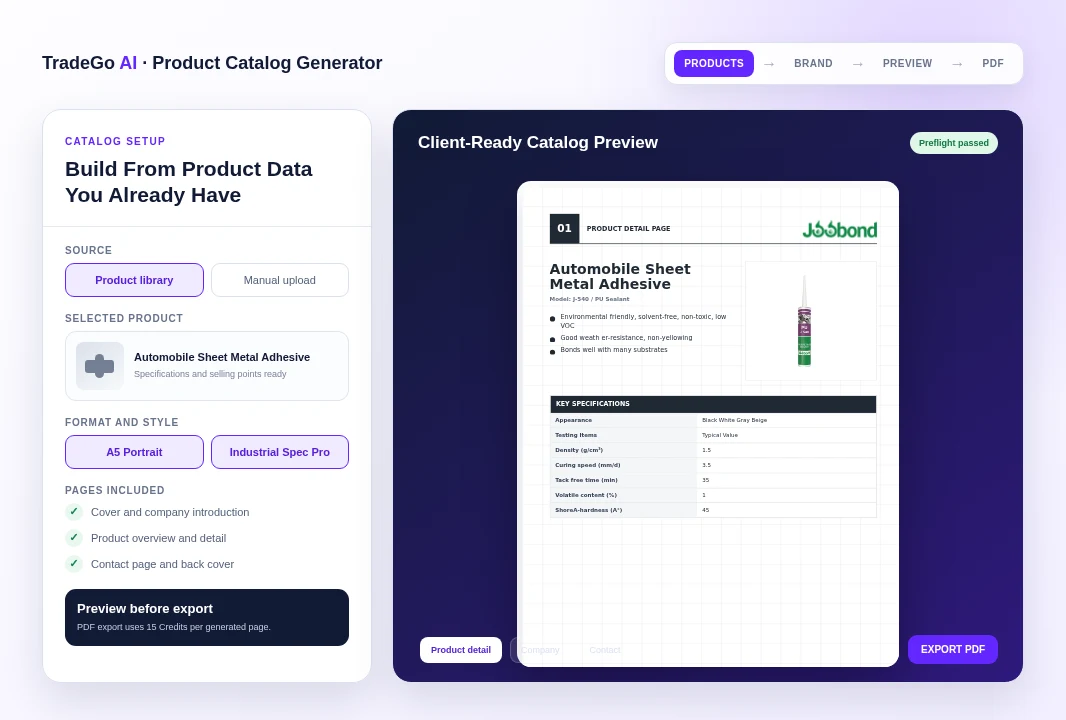
Build a Reusable Product Library
Keep SKUs, specifications, selling points, images, trade data, packing information, and supporting documents together.
Sales guidance
Record How Your Team Sells
Organize customer profiles, target markets, buyer concerns, common questions, approved answers, and deal guidance.
Example workflow
From Scattered Product Facts to Consistent Sales Materials
This example shows how the same approved product and company information can support several customer-facing tasks without starting over.
01 · Add the source information
Create the Company and Product Records
Add the company profile, product specifications, sales points, trade terms, target buyers, and supporting files your team already uses.
02 · Select what the task needs
Choose the Relevant Business Records
Select the exact company, product, customer profile, or sales guidance needed for a reply, catalog, image, document, or campaign.
03 · Reuse the approved information
Create More Consistent Customer-Facing Work
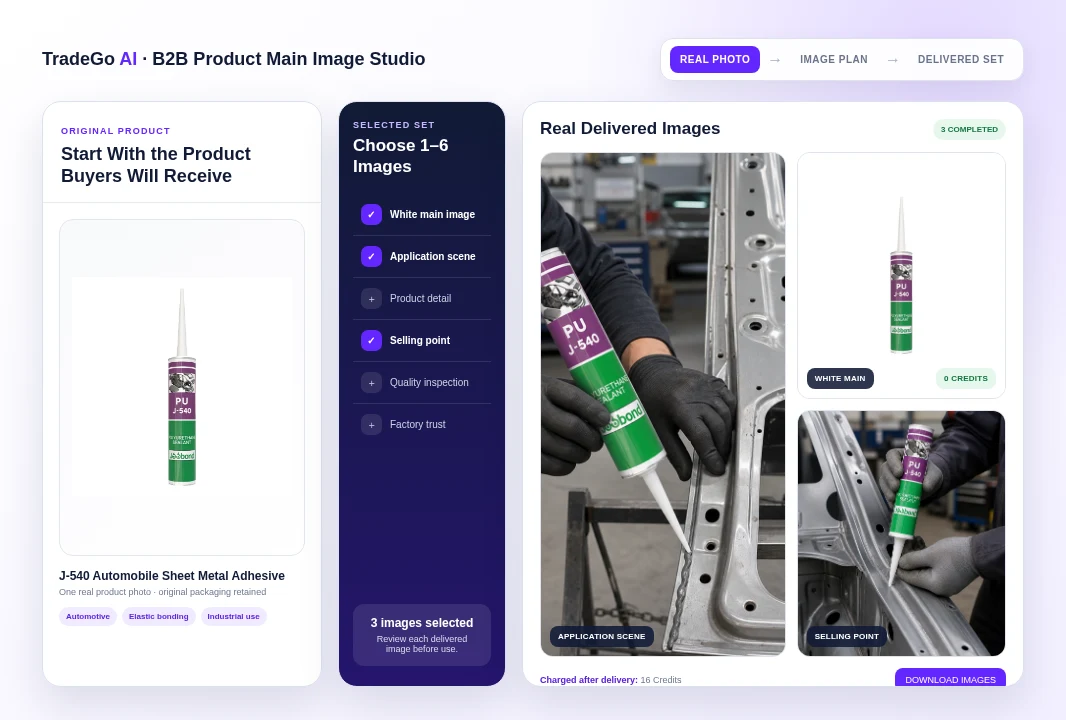
Prepare buyer replies, product catalogs, sales images, proforma invoices, and marketing content from the same maintained records.
Continue with lead qualification, review a potential contract with TradeShield, or compare the available plans and credits.
Examples of reusable outputs
Turn Maintained Product Facts Into Finished Sales Materials
Use maintained company and product records in supported TradeGo AI tools to prepare catalogs, product images, buyer replies, trade documents, and other sales materials with fewer repeated inputs.
- Start buyer research, customer due diligence, or market and product research.
- Keep useful source links and findings with the conversation.
- Continue from research into a practical customer, document, or deal action.
How Company Knowledge works
A Simple Path From Business Records to Daily Use
Your team maintains the source information once, selects the right records for a task, and reviews each finished result before using it.
Step 1
Add Your Company Profile
Record company identity, capabilities, contacts, certifications, and commercial details.
Step 2
Build Product and Buyer Records
Add product details, target buyers, common concerns, sales answers, and supporting files.
Step 3
Select Records for a Task
Choose the company, product, customer, or sales information needed for the work.
Step 4
Review and Use the Result
Check the finished reply, catalog, image, document, or campaign before sending or publishing.
The reusable result
Use the Same Approved Facts Across Your Team
Sales, marketing, sourcing, and operations can work from maintained company and product records instead of copying information from old files.
Before you start
Who Company Knowledge Is For and What Your Team Should Maintain
Company Knowledge is most useful when your team keeps important business information current and reviews every customer-facing result.
Who it is for
Built for Teams That Repeat the Same Business Information
It is designed for exporters, manufacturers, international sales teams, sourcing teams, and business owners that regularly prepare replies, catalogs, quotations, documents, and marketing materials.
Important responsibility
Keep Records Current and Review Before Use
Your team controls the stored information. Review names, specifications, pricing, terms, claims, compliance details, and bank information before using any generated result.
Common questions
Questions Before You Set Up Company Knowledge
Direct answers about what to store, how information is reused, who can maintain it, and what your team should review.
Ready to start
Start With the Information Your Team Repeats Most
Add one company profile and the product details your team uses most often, then expand the library as real work requires it.
Start in the workspace
Create Your Company Profile First
Open Company Knowledge, add the approved company information your team repeats most often, and connect product and sales records as needed.
Want to compare access first?